
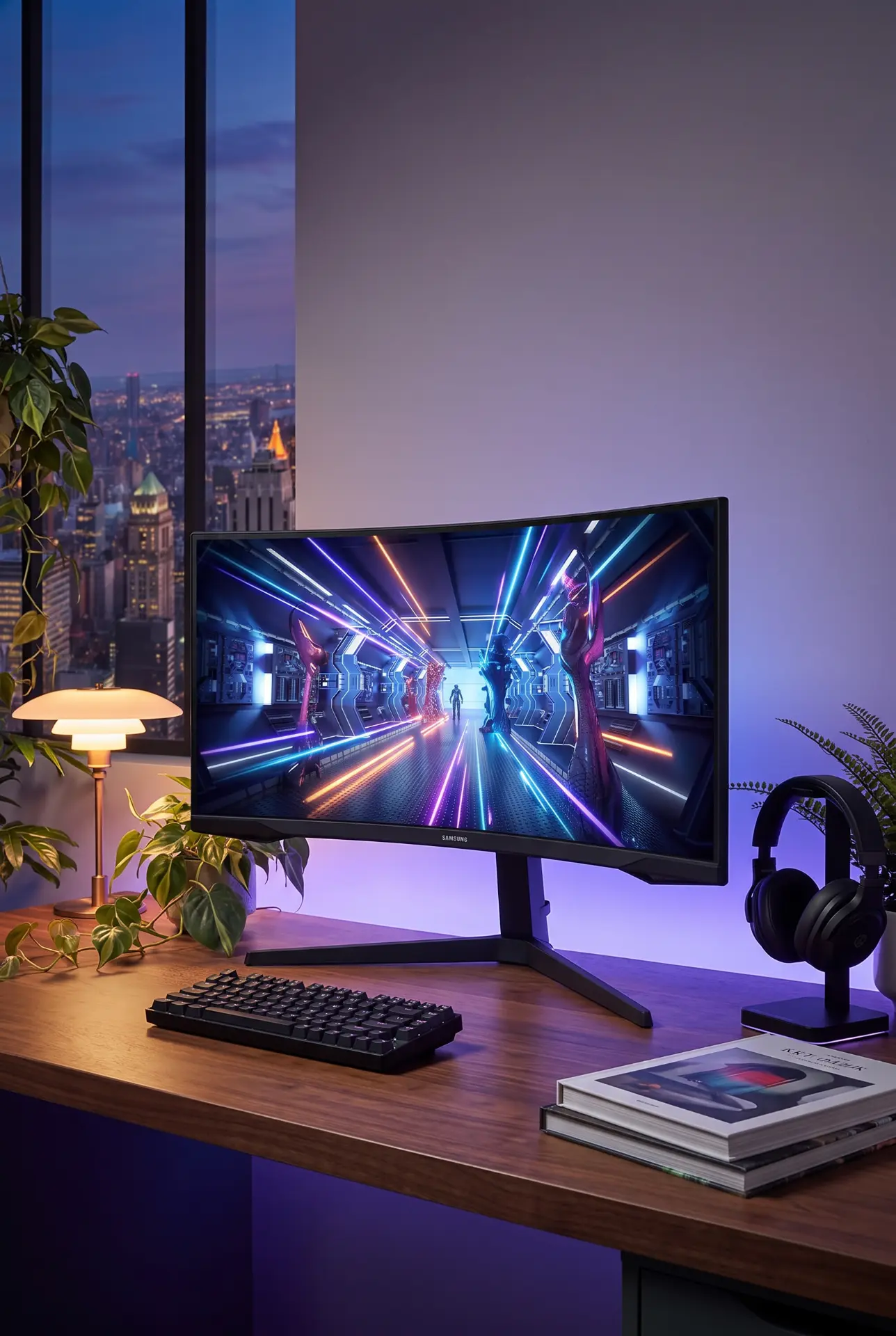
Samsung Odyssey G5 34" Ultrawide Review: The Budget Ultrawide That Actually Delivers
This post contains affiliate links. If you purchase through these links, I may earn a small commission at no extra cost to you. This helps support the site and allows me to continue creating honest reviews like this one. All opinions are my own.
I've been telling people for years that ultrawide monitors are the single biggest quality-of-life upgrade you can make to a desk setup — for gaming, for productivity, for everything in between. The problem has always been the price. Good 34-inch ultrawides used to start at $500+, which is a tough pill to swallow when a solid 27-inch 1440p monitor costs half that. Samsung's Odyssey G5 (LC34G55TWWNXZA) changes that math entirely. At around $250–$280, you're getting a 34-inch curved UWQHD panel with 165Hz, deep VA contrast, and Samsung's name behind it. That's ultrawide territory for what you'd pay for a mid-range flat monitor.
But here's the thing about budget monitors — "good for the price" and "actually good" aren't always the same thing. I dug deep into this one to figure out where the Odyssey G5 genuinely delivers and where Samsung cut corners to hit that price point. Spoiler: the corners they cut are real, but for most people, the trade-offs make sense.
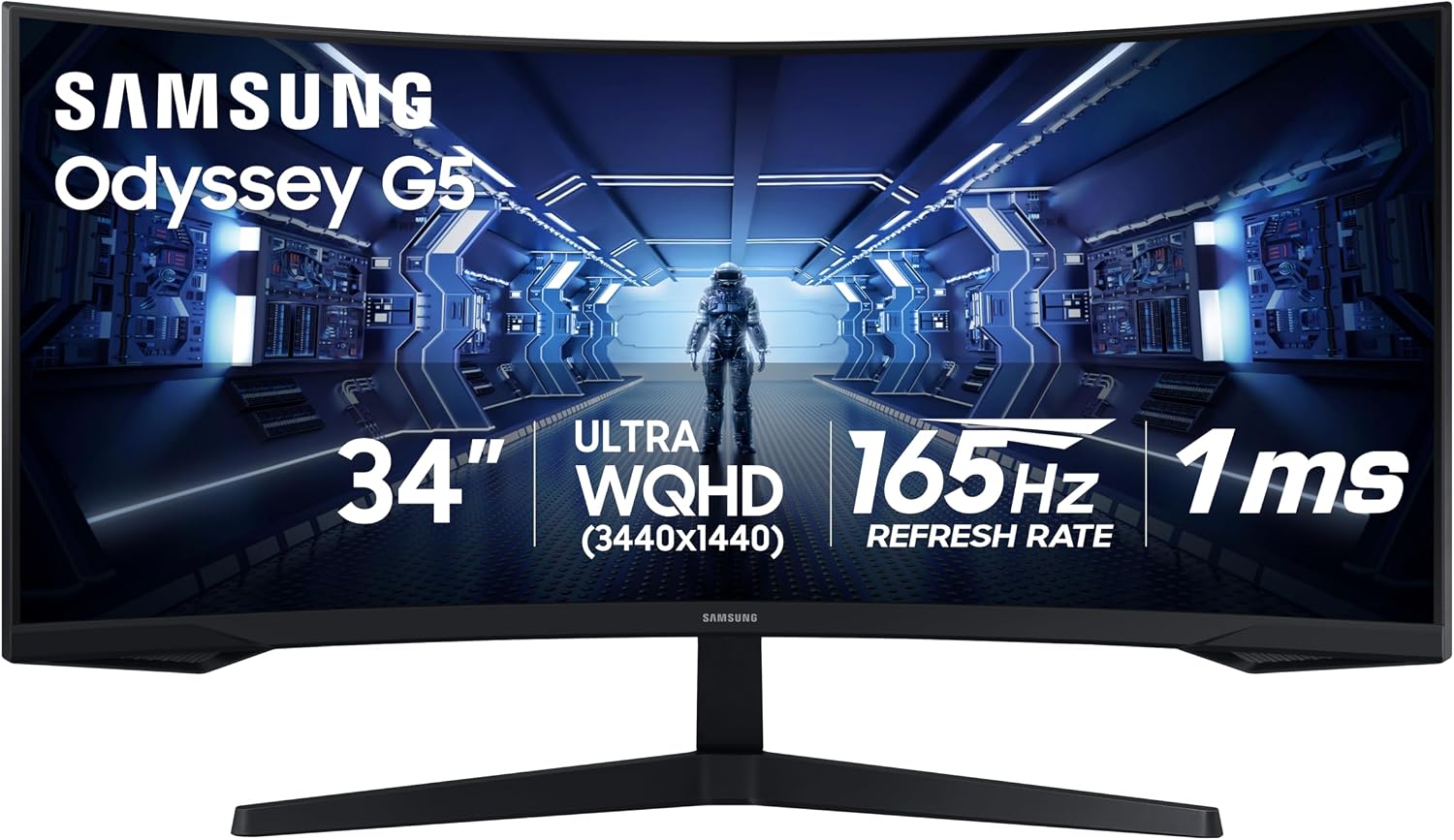
Quick Specs
| Spec | Detail |
|---|---|
| Price | ~$250–$280 (originally ~$450 MSRP) |
| Panel | VA (SVA), 1000R Curve |
| Size | 34 inches, 21:9 Ultrawide |
| Resolution | 3440×1440 (UWQHD), ~110 PPI |
| Refresh Rate | 165Hz (DisplayPort), 100Hz (HDMI) |
| Response Time | 1ms MPRT |
| Contrast | 2,500:1 static (measured up to 3,800:1+) |
| Brightness | 250 nits typical, ~300 nits peak |
| Color | 8-bit + FRC, 99% sRGB, ~77% DCI-P3 |
| HDR | HDR10 (basic — no local dimming) |
| Adaptive Sync | FreeSync Premium (60–165Hz), G-Sync Compatible (unofficial) |
| Ports | 1× DisplayPort 1.4, 2× HDMI 2.0, 3.5mm audio out |
| Stand | Tilt only (-2° to 18°), VESA 75×75mm |
| Weight | ~17.4 lbs with stand |
| Speakers | None |
| Warranty | 1 year standard |
What Makes This Monitor Stand Out
VA Contrast Is the Star of the Show
This is what separates the Odyssey G5 from the flood of IPS ultrawides in this price range. The VA panel delivers a measured contrast ratio above 3,800:1 — that's roughly three to four times what an IPS panel produces. In practical terms, blacks look black, not washed-out gray. Dark scenes in games have real depth and atmosphere. Shadow detail in horror games, space sims, and cinematic titles is genuinely impressive. If you've been gaming on an IPS panel and wondering why dark scenes always look milky, this monitor will be a revelation.
165Hz at 3440×1440 for Under $300
Let that sink in for a second. Two years ago, this spec sheet at this price didn't exist from a major brand. You're getting ultrawide 1440p at a gaming-grade refresh rate with FreeSync Premium — and it works with G-Sync too if you enable it manually over DisplayPort. The 21:9 aspect ratio gives you a tangible competitive advantage in games that support it (wider field of view) and makes productivity work genuinely better with side-by-side windows that don't feel cramped.
Samsung's Name Matters Here
In the sub-$300 ultrawide space, you're swimming with off-brand monitors from companies you've never heard of. Some of those are fine. Some aren't. Samsung brings quality control consistency, actual warranty support you can reach by phone, and firmware that works reliably out of the box. The factory color accuracy on this panel is genuinely good — reviewers measured a deltaE average of 1.41 right out of the box, which beats monitors costing twice as much. You won't need a colorimeter to get a solid image.
The 1000R Curve Works
Samsung went aggressive with a 1000R curve — that's tighter than the 1500R or 1800R curves on most ultrawides. On a 34-inch screen, it wraps the edges of the display into your peripheral vision in a way that flat monitors and gentler curves can't match. For gaming, it's genuinely immersive. For productivity, opinions vary — some people find the curve distorts straight lines in spreadsheets or design work. But for its intended use as a gaming monitor, the curve is a feature, not a gimmick.
The Pros
- Exceptional contrast ratio — VA panel delivers deep blacks that IPS monitors at any price can't match. Dark scenes in games and movies look dramatically better.
- Outstanding value — 34-inch ultrawide, 165Hz, 1440p, curved, from a major brand, under $300. That's the best price-to-spec ratio in the ultrawide market right now.
- Good factory color accuracy — DeltaE of 1.41 out of the box means you don't need to fuss with calibration for gaming and everyday use. 99% sRGB coverage handles the web and most content accurately.
- FreeSync Premium + G-Sync Compatible — Works with both AMD and NVIDIA GPUs. FreeSync range of 60–165Hz with Low Framerate Compensation below 60fps keeps things smooth even when performance dips.
- Low input lag — Measured at ~4ms at 165Hz, which is imperceptible. Competitive gamers won't feel any delay.
- Dual HDMI inputs — Plug in both a PC and a console without swapping cables. Not every budget monitor includes this.
- Samsung reliability — Established brand with accessible customer support, consistent QC, and firmware that doesn't require troubleshooting.
The Cons
- Tilt-only stand is unacceptable in 2026 — No height adjustment, no swivel, no pivot. For a 34-inch monitor, this is a real ergonomic problem. You'll almost certainly want a VESA mount or aftermarket stand, which adds $25–$50 to your total cost. The stand also has a large footprint and wobbles slightly.
- Dim brightness — 250 nits typical (about 300 peak) means this monitor struggles in bright rooms with direct sunlight. It's fine in normal indoor lighting, but if your desk faces a window, glare will be an issue. HDR content looks flat because there's no brightness to work with.
- HDR10 is checkbox-only — There's no local dimming, no wide color gamut, and not enough brightness to do HDR justice. Leave HDR off — it actually makes the image worse when enabled. Samsung listing HDR10 here is misleading.
- VA smearing in dark scenes — This is the VA trade-off for that beautiful contrast. Fast-moving objects against dark backgrounds leave ghosting trails, especially noticeable in dark corridors and nighttime scenes. The "Fastest" overdrive setting helps at 165Hz but can introduce overshoot at lower frame rates.
- HDMI limited to 100Hz — The HDMI 2.0 ports can't push 3440×1440 at full refresh. You need DisplayPort for 165Hz, and FreeSync only works reliably over DisplayPort. Console gamers won't get the full experience.
- No speakers — You'll need external audio. Not a dealbreaker for most desk setups, but worth knowing.
- No wide color gamut — At ~77% DCI-P3, this is an sRGB monitor. That's fine for gaming and web browsing, but if you do any photo editing, video work, or content creation, you'll want a wider gamut.
- Some units show VRR brightness flicker — A known issue where the screen brightness fluctuates during variable refresh rate use. Not every unit has this problem, but it's common enough to mention.
Who Should Buy This
If you've been eyeing ultrawide monitors but couldn't justify spending $400+, this is your entry point. The Samsung Odyssey G5 is the best budget 34-inch ultrawide you can buy right now, full stop. It's ideal for gamers who play a mix of competitive and cinematic titles and want the immersion of ultrawide without emptying their wallet. It's also a fantastic productivity upgrade — having 3440 pixels of horizontal space for code, spreadsheets, or side-by-side documents is a game-changer if you're coming from a standard 16:9 monitor. Anyone who primarily games in dimmer environments will love the VA contrast — this monitor makes dark games look stunning. And if brand trust and warranty support matter to you (they should), Samsung gives you peace of mind that a no-name brand can't.
Who Should Look Elsewhere
If you work in a bright room with lots of natural light, the 250-nit brightness will frustrate you — look at an IPS panel with 350+ nits instead, like the Gigabyte M34WQ ($350). If color accuracy for professional work is your priority, this monitor's sRGB-only gamut won't cut it; step up to something with 95%+ DCI-P3 coverage. If VA smearing bothers you — and it does bother some people, especially in fast-paced FPS games — an IPS ultrawide like the LG UltraGear 34GP63A ($280) eliminates that at the cost of contrast. And if you absolutely must have a height-adjustable stand included, the Dell S3422DWG (~$300) includes one, plus 2W speakers and a USB hub, though it's capped at 144Hz. Finally, if your GPU is on the weaker side (GTX 1660 or below), you may not have enough horsepower to drive 3440×1440 at decent frame rates — consider a standard 2560×1440 27-inch monitor instead.
The Competition
| Feature | Samsung Odyssey G5 | Gigabyte G34WQC | Dell S3422DWG | LG 34GP63A-B |
|---|---|---|---|---|
| Price | ~$250–$280 | ~$280–$300 | ~$300–$350 | ~$270–$300 |
| Panel | VA, 1000R | VA, 1500R | VA, 1800R | IPS, flat |
| Resolution | 3440×1440 | 3440×1440 | 3440×1440 | 3440×1440 |
| Refresh Rate | 165Hz (DP) | 144Hz | 144Hz | 160Hz |
| Contrast | 2,500:1 | 3,000:1 | 3,000:1 | 1,000:1 |
| Brightness | 250 nits | 350 nits | 400 nits | 300 nits |
| Stand | Tilt only | Tilt/Height | Tilt/Height/Swivel | Tilt/Height |
| Ports | 1 DP, 2 HDMI | 2 DP, 2 HDMI | 1 DP, 2 HDMI, USB | 1 DP, 2 HDMI |
| Best For | Budget + contrast | Balance of features | Ergonomics + brightness | Speed + color accuracy |
The Verdict
The Samsung Odyssey G5 34" is one of those products that makes you wonder what took so long. A 34-inch ultrawide curved gaming monitor with 165Hz and excellent contrast for under $300 — from Samsung, not some Amazon white-label brand — would have been unthinkable three years ago. And it genuinely delivers where it counts: the VA panel produces stunning dark scenes, the input lag is razor-low, the factory calibration is excellent, and the 21:9 format transforms both gaming and productivity.
But Samsung definitely made trade-offs to hit this price. The tilt-only stand is the biggest offender — you're going to want a VESA mount, and that's an extra $30 you should factor into the real cost. The brightness is adequate indoors but won't fight sunlight. The HDR implementation is meaningless. And VA smearing, while manageable, is a real thing you'll notice in dark, fast-paced scenes.
Here's the honest bottom line: at $250–$280, these compromises are completely reasonable. Every monitor at this price has trade-offs — the Odyssey G5's trade-offs just happen to preserve the things that matter most for gaming (contrast, refresh rate, input lag) while cutting the things that matter less (stand, brightness, HDR). It's a smart set of priorities, and for most buyers stepping into the ultrawide world for the first time, this is the monitor to start with.
Rating: 4/5 — The best budget entry into ultrawide gaming. Exceptional contrast and value, held back only by a cheap stand and dim brightness. Add a VESA mount and you've got a $300 setup that punches way above its weight.
Deal Tip 💡 This monitor has been on the market since 2020, and Samsung runs periodic clearance pricing that can drop it as low as $234. Check Amazon during Prime Day, Black Friday, and holiday sales for the best deals. At $250 or below, this is an absolute steal — don't pay over $280. If you need a VESA mount, Amazon Basics and ERGEAR both make solid single-arm mounts for $25–$35 that will transform the ergonomics. Also note: always use the DisplayPort cable for the full 165Hz — HDMI caps you at 100Hz on this monitor.
The Verdict
A budget ultrawide that punches above its weight — deep VA blacks, 165Hz gaming, and Samsung reliability at a price that makes 34-inch ultrawides accessible. Worth buying if it fits how you'll actually use it.
This post contains affiliate links. If you buy through one, I may earn a commission at no extra cost to you.